
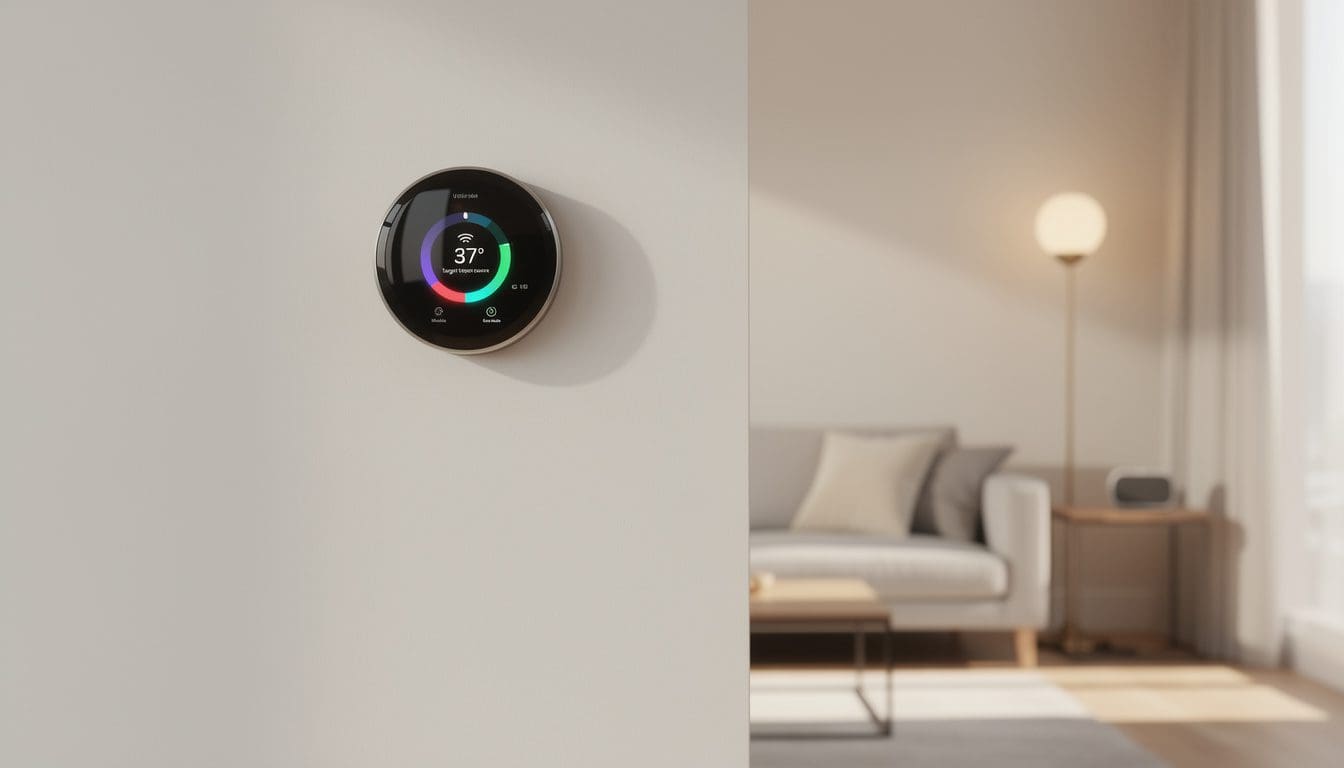
Constantly tweaking the temperature can turn any relaxed evening into a small but persistent annoyance. A smart thermostat changes that rhythm by quietly learning routines, reacting to weather, and trimming energy waste in the background. Instead of racing to the wall on a winter morning, many households now wake up to a home that is already warm, with patterns automatically adjusted when school starts, holidays arrive, or everyone is away on vacation. This mix of comfort and control is why smart climate control has become one of the most popular upgrades in modern homes.
Yet the challenge is real: dozens of models, flashy buzzwords, and prices that range from “impulse buy” to “serious investment.” Families like the fictional Millers—two adults, two kids, and a dog in a drafty 90s house—often begin overwhelmed. They wonder which features genuinely matter, what will actually lower bills, and how to avoid a device that refuses to talk to their existing heating system. By focusing on a few core questions—What system is installed? How tech‑savvy is the household? How important are savings vs. convenience?—it becomes much easier to narrow down the options. Thoughtful selection turns a simple thermostat upgrade into a cornerstone of a smarter, calmer home, and the following sections unpack how to get there.
Key factors when choosing a smart thermostat for your home
Before falling in love with any design or brand name, the most important step is a compatibility check. Every smart thermostat must match the home’s existing HVAC system—whether that is forced air, a heat pump, boiler, or a combination system with add‑ons like humidifiers. Many owners discover, like the Millers did, that they are missing a C‑wire (a common power wire). Some models can work around this with batteries or included adapters, while others require adding a C‑wire or professional help. Resources like the detailed guides on thermostat buying basics make it easier to decode model numbers and wiring diagrams without needing an engineering degree.
Once the system match is confirmed, attention can shift to what daily life actually looks like. A household where people have regular schedules can rely on simple programmable routines. On the other hand, a home with shifting shifts, after‑school activities, and weekend travel will benefit much more from geofencing (using phone location to detect who is home) and adaptive, learning schedules. In these cases, a device that monitors occupancy and weather, then nudges temperatures slightly, often saves more money than a perfectly crafted manual schedule that nobody keeps updated.
Budget is another pivotal factor, but it becomes more interesting once energy savings and rebates are included. Premium models over $200 typically offer:
- Advanced sensors that detect presence and room‑by‑room comfort.
- Deep smart‑home integrations with platforms like Alexa, Google Home, and Apple Home.
- Rich energy reports that show when and how heating and cooling are used.
Mid‑range thermostats in the $100–$200 range cover most needs—remote control, schedules, basic reporting—while very affordable units under $100 usually skip learning algorithms and fancy screens but still connect to Wi‑Fi and apps. Detailed comparisons such as this overview of top smart thermostat picks help put features and prices into perspective.
A final but often underrated factor is the user interface. A smart thermostat that is confusing or cluttered quickly becomes an expensive manual dial. Households with kids, guests, or older relatives benefit from devices that show clear temperatures, use large fonts, and provide straightforward app layouts. Many people browse screenshots in buying guides like how to choose the right smart thermostat specifically to judge how simple the apps look. When everyone in the house can understand the controls at a glance, energy‑saving habits are far more likely to stick, and the thermostat becomes a friendly helper rather than a frustrating gadget on the wall.
- Check HVAC compatibility and wiring first.
- Match features to lifestyle (predictable vs. flexible schedules).
- Balance cost and savings, including rebates and long‑term efficiency.
- Prioritize ease of use so every family member can adjust settings safely.
Keeping these core factors in mind lays the groundwork for comparing specific models and technologies with confidence rather than guesswork.
Smart thermostat features that actually make a difference
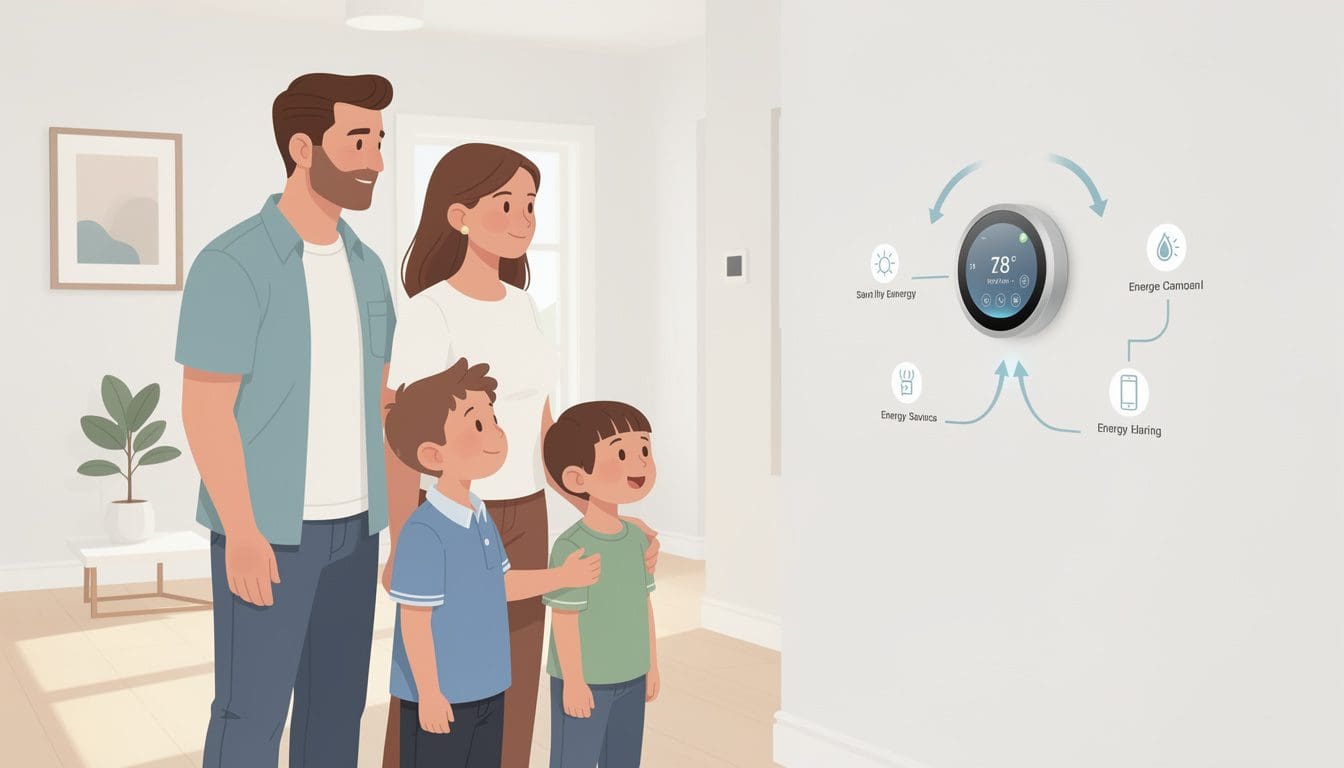
Once the fundamentals are clear, the real fun begins: exploring the smart features that separate an ordinary thermostat from a true home assistant. Many of the most impactful options fall into a few big buckets—learning, sensing, automation, and insights. When families like the Millers upgraded, they quickly discovered that not every shiny function mattered for them, but a handful of carefully chosen ones transformed their comfort and bills.
The first cluster to look at is learning capabilities. Some thermostats observe daily behavior—when the house empties out in the morning, when everyone returns, typical sleep times—and build automatic schedules. These devices can gradually shift temperatures by a degree or two at times when people rarely notice, such as late at night or during weekday work hours. Over months, these micro‑adjustments stack into meaningful savings. Detailed guides such as how to select a smart thermostat often emphasize that learning doesn’t just mean “more automation,” it means gentle, data‑driven tweaks that most households never think to make on their own.
Equally important are room and occupancy sensors. Traditional thermostats measure temperature in only one location, which is often the hallway. Smart thermostats that can pair with remote sensors bring a classroom‑style fairness to the home: the chilly basement reading nook finally counts, and that sun‑soaked upstairs bedroom no longer overheats. When sensors detect that a room is occupied, the system can temporarily prioritize comfort there; when a space sits empty, heating or cooling can be reduced.
For the Millers, placing sensors in the children’s bedrooms meant the system would continue to heat gently until those rooms were comfortable at bedtime, rather than relying on the warmer hallway. Over winter, this helped avoid both blanket piles and late‑night thermostat battles. To understand how different brands implement this, readers often turn to independent reviews like PCMag’s smart thermostat tests, which compare sensor performance and setup.
On the automation side, several features consistently stand out:
- Geofencing that adjusts temperatures when everyone leaves or returns.
- Voice control via assistants for quick changes from the couch or kitchen.
- Scene and routine support to link temperature with lights, locks, or blinds.
Geofencing is especially powerful for busy families. When the last phone leaves the defined radius around the home, the thermostat automatically slides into an energy‑saving mode. As soon as someone starts heading back, the system gears up again so the house feels welcoming on arrival. This rhythm works well for teens with after‑school clubs, rotating caregivers, and shift workers whose timetables rarely match printed schedules.
Another feature group that deserves attention is energy insights and reporting. Charts showing daily and weekly usage, “away time,” and weather impacts help households understand where their money goes. Some devices highlight “energy events” when use spikes unusually, prompting questions like “Did we leave that window open?” or “Was the oven running longer than usual?” Articles such as best smart thermostats for savings routinely point out that simple awareness, paired with real data, can cut bills even before any major system upgrades.
Finally, future‑proofing matters. With home automation ecosystems growing fast, a thermostat that plays nicely with hubs, smart plugs, and security systems is invaluable. Resources like smart home hubs explained show how a thermostat can become part of whole‑home scenes—“Goodnight,” “Vacation,” or “Back from school”—instead of standing alone. This connected approach allows one command to dim lights, lock doors, and drop the temperature in one smooth motion.
- Focus on learning algorithms if schedules are irregular.
- Choose room sensors when certain spaces are consistently hot or cold.
- Prioritize geofencing and voice control for busy, phone‑centric households.
- Look for energy reports to understand and improve usage over time.
When these capabilities align with daily routines, a smart thermostat stops feeling like a gadget and starts acting like a quiet, reliable member of the household team.
From device to smart home: integrating your thermostat for maximum savings
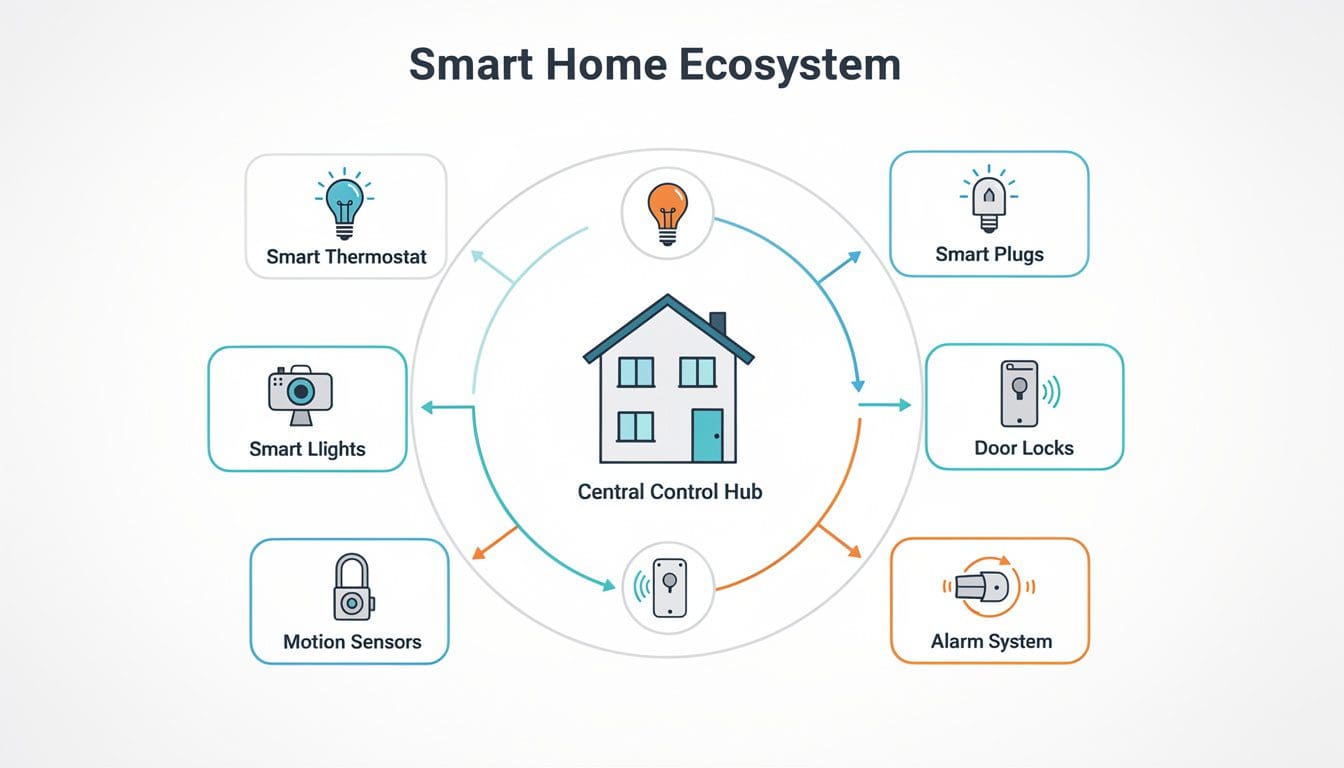
After the right model is chosen, the next step is turning a single thermostat into the heart of a responsive, energy‑aware home. This is where installation, automation, and ecosystem planning come together. The Millers started with just a thermostat in their hallway; over time, they connected it to security devices, smart plugs, and routines until the entire house felt coordinated rather than scattered.
Installation is usually straightforward, especially with step‑by‑step apps, but it is still worth treating as a deliberate project. Photographing the old wiring before removal, labeling wires, and turning off the breaker are simple habits that prevent costly mistakes. Many homeowners follow visual walk‑throughs or check guides like how to choose and install a smart thermostat to build confidence before picking up a screwdriver. When the wiring looks unusual or multiple systems are tied together, calling in a professional installer is often cheaper than fixing a miswired control board later.
Once the device is securely mounted and connected to Wi‑Fi, the fun part begins: defining how it should behave alongside other smart devices. Smart plugs, for example, are a simple companion. With ideas from resources like what smart plugs do and why they matter, the Millers configured plug‑in heaters and fans in specific rooms to turn on only when sensors detected low temperatures or poor air circulation. This avoided overheating the entire house just to warm one chilly corner.
As the home grows smarter, a thermostat can also interact with lighting, blinds, and security. A “movie night” routine might dim lights, slightly cool the living room (because more people and electronics add heat), and lock the front door. Automation ideas from sites such as room‑by‑room automation ideas help families imagine how comfort, safety, and entertainment can blend. In winter, a “Goodnight” scene can lower the set point, close smart blinds to keep warmth in, and arm the alarm with a single tap or voice command.
Energy‑saving impact multiplies when thermostats join broader home efficiency strategies. Articles like energy‑saving devices in 2025 show how insulation, smart radiators, and connected AC units all play a role. When the thermostat’s reports reveal heavy use during certain hours, the family can decide whether attic insulation, weather‑stripping, or even behavior tweaks (like running the dryer at off‑peak times) will make the biggest difference.
Another angle is long‑term learning and upgrades. Buyer’s guides such as choosing a smart thermostat for your HVAC type and curated lists like rankings of the best smart thermostats are useful not just before purchase but also later, when it is time to expand. Families often start with one main unit, then add a second thermostat for an attic, finished basement, or rental suite, coordinating them through a central hub so they do not “fight” each other.
Security integration is another natural step. Guides like smart home security for beginners show how door sensors and cameras can inform heating behavior. If all doors and windows are closed and the system is armed “away,” the thermostat can safely assume the house is empty and drop into an eco mode. If a window is left open in January, the system might send a warning rather than continuously pumping heat into the street.
- Plan the ecosystem: decide which hubs, plugs, and sensors will work together.
- Leverage routines such as “Goodnight,” “Vacation,” and “After school.”
- Use data from energy reports to guide insulation and appliance upgrades.
- Connect security and comfort so the home reacts logically when people arrive or leave.
By thinking beyond the single device and treating the thermostat as a central coordinator, households transform scattered gadgets into a coherent, energy‑savvy system where comfort, safety, and savings reinforce one another instead of competing.
How much can a smart thermostat really save on energy bills?
Most households can expect average savings of around 8–10% on heating and cooling costs when a smart thermostat is properly set up with schedules, geofencing, and reasonable set points. Homes with inconsistent manual use or large temperature swings often save even more, especially when paired with basic weatherproofing and efficient habits.
Is a smart thermostat worth it in a small apartment?
Yes, even in a compact space, a smart thermostat adds value through remote control, simple scheduling, and energy‑use feedback. While savings in absolute dollars may be smaller than in a large house, the convenience of adjusting temperatures from a phone and avoiding unnecessary heating or cooling when you are away still makes the upgrade worthwhile.
Do smart thermostats work without Wi‑Fi?
If the internet goes down, most smart thermostats continue to control heating and cooling based on the last saved schedule. You can still adjust the temperature using the wall unit, but app control, voice control, and live energy reports will pause until Wi‑Fi is restored. Stored settings and preferences are preserved, so nothing needs to be reconfigured.
Can renters install a smart thermostat?
Renters can sometimes install a smart thermostat, but permission from the property owner is essential. Many landlords agree because the device can increase property value and comfort. As long as wiring is not altered beyond the existing setup and the original thermostat can be reinstalled when moving out, the upgrade is often simple and reversible.
What is the difference between a programmable and a smart thermostat?
A programmable thermostat follows fixed schedules that users set manually, while a smart thermostat adds Wi‑Fi, app control, learning algorithms, geofencing, and integration with other devices. In practice, this means a smart thermostat can adjust automatically as routines change, respond to phone locations, and coordinate with lights or security systems, delivering both flexibility and extra savings.