
Smart devices have quietly moved from novelty to normality. Lights, locks, cameras, thermostats and speakers all promise convenience, yet many households discover a different reality: a phone cluttered with apps, devices that refuse to talk to each other, and automations that fail at the worst moment. Smart home hubs exist to solve exactly this mess. By acting as the central brain of a connected home, they coordinate multiple brands, protocols and services into a single, predictable system that behaves the same way every day, whether the internet is working or not.
In practical terms, a hub can turn a scattered collection of gadgets into a coherent automation platform. It translates between Zigbee, Z-Wave, Wi‑Fi, Bluetooth, InfraRed, Thread and the newer Matter standard, so a motion sensor from one company can control a light from another and trigger a notification through a third. For a family like the fictional Harris household, juggling school runs, late shifts and weekend trips, that kind of reliability matters more than any flashy feature. The difference between a cloud-only system and a well-chosen hub can be the difference between unlocking the front door instantly and waiting awkwardly on the doorstep while a laggy app decides what to do.
Smart Home Hubs Explained: Core Concepts and Real-World Benefits
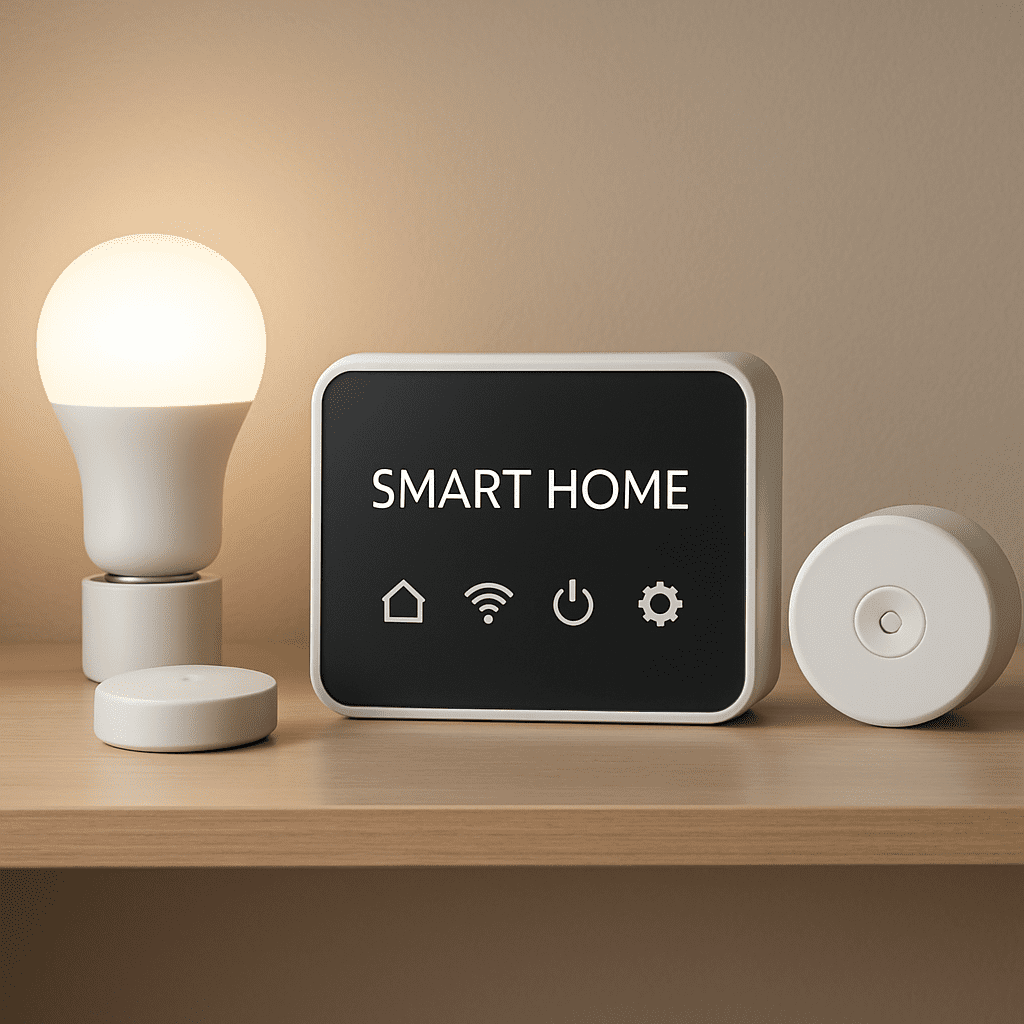
A smart home hub is best understood as a central point of communication for all the connected devices in a home. Instead of each gadget talking directly to the cloud or demanding its own app, everything reports to the hub. The hub then exposes a single interface for control and automation, whether that’s a mobile app, a web dashboard or a voice assistant. This reduces complexity for the user and creates a more predictable environment for devices that were never designed with each other in mind.
Technically, hubs behave like protocol interpreters. Many smart bulbs and sensors do not use Wi‑Fi; they rely on low-power standards such as Zigbee, Z‑Wave or Thread to conserve energy and extend battery life. A multi-protocol hub speaks these languages and can also bridge them to Wi‑Fi and Ethernet. For example, a Zigbee motion sensor in a hallway can send a signal to the hub, which then instructs a Wi‑Fi light strip to turn on and a Thread-based thermostat to adjust the temperature slightly when someone comes home.
From the user’s perspective, the immediate value appears in everyday routines. Instead of opening several apps in the evening, a single “Goodnight” scene from the hub can ensure lights are off, doors are locked and the heating is lowered. This is more than just convenience; it reduces the chance of errors, like leaving a garage door open or a window sensor unchecked during a storm. Parents in fast-paced households often lean on these automations to create a stable backdrop for their day, knowing the system will handle the repetitive tasks consistently.
Hubs also shine when it comes to local control. Many voice assistants and cloud-powered platforms depend on remote servers for every action. If the internet is down or a vendor has an outage, even simple tasks like turning on a lamp can fail. Local hubs such as Hubitat or Home Assistant keep logic and device communication inside the home network. The result is faster response times and resilience during broadband problems. When the Harris family’s connection drops before a big storm, their hub still runs the “Storm Mode” automation: closing blinds, turning on exterior lights and starting a backup camera recording.
Another subtle but important advantage is privacy. With a local-first hub, automation data stays at home. Motion events, door openings and temperature logs are stored on the hub rather than constantly uploaded to a vendor’s cloud. This matters for anyone cautious about turning their living space into a stream of analytics for third parties. It also reduces long-term risk when companies change policies, get acquired, or discontinue services.
For a quick overview of why hubs have become central to serious smart home setups, consider these key roles they play:
- Unification of brands: Connect lights, sensors, locks and cameras from multiple manufacturers under one roof.
- Protocol bridging: Translate between Zigbee, Z‑Wave, Thread, Wi‑Fi, Bluetooth and InfraRed.
- Central automation engine: Run routines that span several rooms and device types without juggling apps.
- Local resilience: Keep essential functions working even without an active internet connection.
- Privacy control: Limit which actions ever leave the home network.
These benefits explain why more households are moving away from purely app-based setups and treating the hub as infrastructure, much like a router or a fuse box: unseen most of the time, but critical to daily comfort and safety.
How Smart Home Hubs Work: Protocols, Local Control and Interoperability
To understand how smart home hubs work, it helps to picture a busy airport control tower. Aircraft from different airlines and countries use their own systems, but the tower coordinates them so they land and take off safely. A hub performs a similar function for devices that speak different wireless protocols. Without it, each product demands a direct channel to the user and often to its own cloud, leading to inefficiency and conflict.
Most hubs include multiple radios: typically Zigbee and Z‑Wave, often Wi‑Fi and Bluetooth, and increasingly Thread. Some platforms also integrate InfraRed to control legacy devices like older TVs or air conditioners. On top of this hardware, there is software that knows how to interpret the messages each protocol uses. This software layer is where Matter enters the picture, aiming to standardise how smart home devices describe their features and respond to commands.
When a new device is added, the hub performs a pairing process. For a Zigbee motion sensor, that might involve the hub putting its Zigbee radio into pairing mode, discovering the sensor and then assigning it an internal ID and capabilities list. The hub then exposes that sensor to its automation engine. From that moment, any rule can reference the sensor by name, such as “Hallway Motion,” without caring which vendor made it or what radio it uses.
The automation engine inside many hubs is where the real power lies. It allows users to define triggers, conditions and actions. A trigger could be motion detected, time of day, a button press or even a weather event from an online service. Conditions refine when the rule runs: only after sunset, only if somebody is home, only if the temperature is below a certain threshold. Actions then perform tasks like turning on lights, adjusting blinds, sending push notifications or starting camera recordings.
Consider the Harris family’s morning routine. Their hub coordinates the following sequence:
- Trigger: 6:45 a.m. on weekdays.
- Conditions: Presence sensors show at least one adult at home, school calendar indicates a term day.
- Actions: Gradually brighten bedroom lights, start the smart kettle, raise the thermostat to a comfortable level and play a gentle playlist on a smart speaker.
All of that happens without any manual input, and because the logic runs locally, it does not stall when a cloud service slows down. Over time, the family refines this “Good Morning” routine, adjusting brightness levels and timing to suit changing seasons.
Interoperability is where hubs truly differentiate themselves from barebones voice assistants. Early smart homes suffered from “walled gardens,” where one set of devices refused to work with another. With a capable hub, interoperability looks different. A door sensor from a budget brand can still participate in a premium security routine; a robot vacuum and a smart speaker can coordinate to pause cleaning when someone takes a call in the home office.
This interoperability is delivered through:
- Device abstractions that treat all switches, lights or sensors similarly, regardless of vendor.
- Universal standards like Matter that describe device capabilities in a consistent way.
- Driver or integration libraries maintained by manufacturers or communities to keep oddball products in sync.
By functioning as a translator and traffic director at the same time, the hub hides the messy details while presenting clean options to the household. That is why, in many modern setups, the question is no longer “Can these two devices talk?” but rather “How would the hub prefer them to talk?” The answer to that question sets the stage for choosing between local, cloud and hybrid hub platforms.
Smart Home Hub Types in 2025: Local, Cloud and Hybrid Platforms
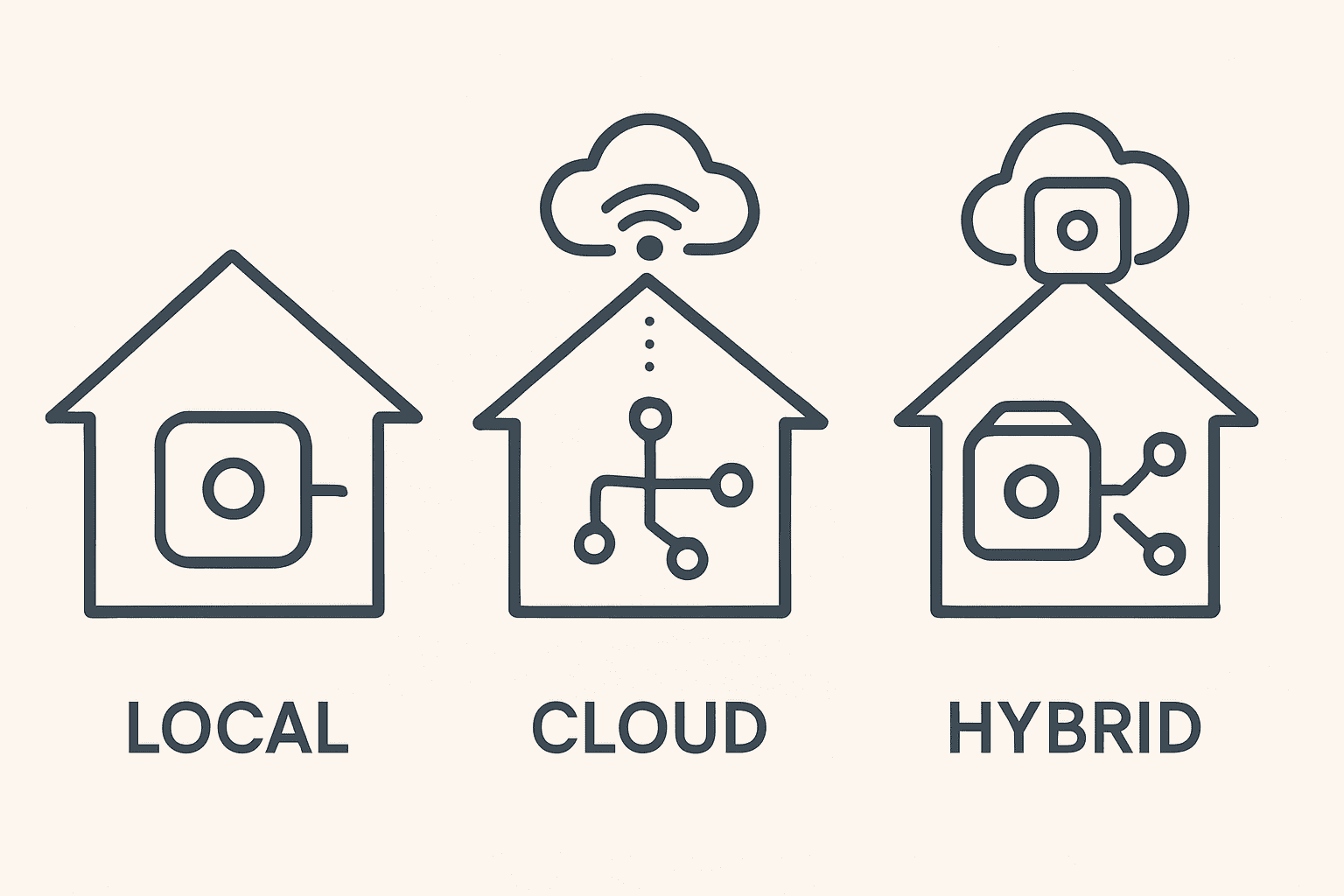
Smart home hubs now fall broadly into three operational models: local hubs, cloud hubs and hybrid hubs. Understanding these categories helps households pick a platform that matches their expectations for speed, reliability and privacy. While all three can technically run automations, the difference lies in where the decisions are made and how dependent they are on external servers.
Local hubs keep automation logic and device communication within the home. Systems like Hubitat Elevation and Home Assistant are prime examples. They run on dedicated hardware or small computers on the local network and talk directly to devices over Zigbee, Z‑Wave, Thread and Wi‑Fi. When a motion sensor fires, the hub decides what to do without asking a cloud server. The result is near-instant responses and continued operation even when the internet connection fails. This model suits households that prioritise stability and want to minimise external dependencies.
Cloud hubs, by contrast, rely heavily on remote infrastructure. Many users first encounter this model through Amazon Echo or Google Nest devices that act as basic hubs. Here, a routine like “turn on the hallway light when the door opens” is processed in the cloud. The hub or speaker detects the event, sends it to servers, and waits for instructions. In ideal network conditions, this still feels fast. However, when latency increases or a provider has an outage, automations can slow down or stop. The trade-off is simplicity: cloud hubs are often easy to set up and deeply integrated with voice assistants and streaming services.
Hybrid hubs attempt to combine the best of both worlds. Platforms such as SmartThings and Homey Pro run many core automations locally while still connecting to the cloud for remote access, firmware updates and integrations with online services. They can, for example, keep critical security routines local but still integrate with a weather service to adjust shutters before a heatwave. Hybrid solutions appeal to users who want advanced features without diving too deep into the technical configuration associated with pure local systems.
Comparing the three categories across practical criteria highlights the differences:
- Latency: Local hubs tend to offer the fastest reactions, hybrid hubs are close behind, while cloud hubs depend heavily on connection quality.
- Resilience: Local and hybrid hubs maintain more functionality during outages; cloud hubs lose most automation capabilities without internet.
- Setup effort: Cloud hubs usually offer the most straightforward onboarding, hybrid hubs are moderate, and local platforms can require more initial learning.
- Privacy: Local hubs minimise external data sharing; hybrid hubs strike a balance; cloud hubs send more activity data to vendors.
Beyond operational models, hubs can also be sorted by ecosystem. Voice assistant hubs like Amazon Echo, Google Nest Hub and Apple HomePod mini focus on natural language control and simple routines. Multi-brand hubs such as Hubitat, SmartThings, Homey and Home Assistant emphasise flexibility and deeper automation. Brand-specific hubs from Aqara, IKEA or Tuya are optimised for their own device ranges, sometimes at the cost of broader compatibility.
Take the example of the Harris family again. Initially, they relied solely on a couple of smart speakers as cloud hubs, appreciating the simplicity of voice commands. Over time, as they added Zigbee sensors, Thread-based plugs and a few Z‑Wave switches, they encountered gaps: some devices could not be added to the ecosystem, and complex cross-room routines were unreliable. Moving to a hybrid hub allowed them to maintain voice control while gaining richer automation tools and better performance.
For households considering an upgrade or new deployment, it helps to summarise what each hub type is particularly good at:
- Local hubs: Best for reliable automation, privacy-conscious users and homes with many non-Wi‑Fi devices.
- Cloud hubs: Ideal for quick, low-effort setups and voice-first control where a small amount of lag is acceptable.
- Hybrid hubs: Suited to families who want robust automation and broad compatibility without going fully DIY.
The choice between these models sets the foundation for everything else: device selection, automation design and long-term satisfaction with the smart home. Once that foundation is in place, the next step is matching specific hub products to different user profiles, from newcomers to seasoned enthusiasts.
Choosing the Right Smart Home Hub: From Beginner to Power User
Smart home hubs differ not only in technology but also in how they match user experience levels. A setup that delights a seasoned tinkerer can overwhelm a beginner, while a plug-and-play system that feels simple to a new user might frustrate an enthusiast looking for granular control. Matching the hub to the person is just as important as matching it to the devices.
For beginners, hubs that double as voice assistants are often the best starting point. Devices like Apple HomePod mini, Amazon Echo and Google Nest Hub handle simple routines well and hide most of the complexity. A household can start by automating a single room: smart bulbs in the living area, a connected plug for a lamp and a thermostat integration. Using plain-language commands and a mobile app, they can set up bedtime scenes, away modes and basic schedules without needing to understand protocols or local versus cloud control.
Intermediate users, such as people who have already collected a range of smart gadgets from different brands, often benefit from migrating to multi-brand hubs like Hubitat, SmartThings or Homey Pro. These platforms support more protocols, allow more detailed automations, and cope better when the network grows. The Harris family reached this stage when they wanted motion-based lighting that only activated under certain light levels, presence-aware heating schedules and coordinated control of blinds and air purifiers during allergy season.
Advanced users and hobbyists frequently gravitate toward Home Assistant or similar local-first platforms. There, every device, trigger and condition is configurable. Integrations extend beyond smart home hardware into services like energy monitoring, custom dashboards and even local AI assistants. This level of control demands more time investment, but in return, it offers a system that can evolve indefinitely with the household’s needs.
When deciding which path to take, it helps to ask a few targeted questions:
- How many different brands of devices already exist in the home?
- Is voice control the primary way residents want to interact with the system?
- How critical are reliability and privacy compared to convenience?
- Who will maintain the system over the next several years?
Using these questions, households can map themselves roughly to profiles:
- Casual user profile: Wants simple scenes, uses mostly Wi‑Fi devices, comfortable with cloud reliance – best match: HomePod mini, Echo, Nest.
- Enthusiastic beginner: Owns a few Zigbee or Z‑Wave devices, wants better routines and reliability – best match: SmartThings, Homey Pro.
- Privacy-focused owner: Prefers everything to keep working offline, cares about data staying local – best match: Hubitat, Home Assistant.
Regardless of the starting point, a wise strategy is to start small. Rather than transforming the entire house at once, many families start with one or two carefully chosen devices that solve real problems: perhaps a hallway motion sensor to prevent fumbling for switches at night, or a smart lock that simplifies letting in a dog walker. Once those automations work reliably, more components can be added with confidence.
The Harris household followed that path. They began with a basic voice-assistant hub to control smart bulbs. After a year of experimentation, they upgraded to a hybrid multi-brand hub that incorporated door sensors, climate control and security routines. When their comfort level grew, they introduced a local automation engine, migrating critical rules one by one. At every step, the focus was clear: use technology to remove friction from daily life, not to add it.
Ultimately, the “right” hub is the one that fits a home’s current habits while allowing headroom for future plans. A system that feels intuitive today and can gracefully scale tomorrow is far more valuable than an overpowered platform that nobody in the household wants to manage.
Smart Home Security, Privacy and Future-Proofing with Hubs
As smart home hubs gain responsibilities, they increasingly sit at the intersection of security, privacy and long-term planning. A device that controls locks, cameras and alarm sirens must be treated with the same seriousness as a home router or alarm panel. At the same time, families want the reassurance that today’s investment will not become obsolete when new standards appear or vendors change direction.
Security begins with the basics: firmware updates, strong passwords and network design. Hubs that can receive automatic, signed updates are better positioned to address emerging threats. Platforms like Homey Pro, SmartThings, Hubitat and Home Assistant all publish regular security and stability updates, while voice-assistant hubs from Apple, Google and Amazon integrate updates into their broader ecosystem releases. Households that accept these updates promptly reduce the attack surface of their systems.
Network segmentation further improves security. Placing the hub and smart devices on a separate VLAN or guest network, while keeping personal computers and work laptops on a main network, limits the impact if a single device is compromised. Many modern routers now make this easy through app-based configuration. From there, hub-level security features such as two-factor authentication, device whitelisting and encrypted remote access become crucial layers of defence.
Privacy is closely intertwined with security but focuses more on data usage than intrusion. Local hubs that keep logs, automation history and presence data within the home naturally offer stronger privacy guarantees. Even for cloud-connected platforms, many now provide tools to limit data collection, clear history or store video on local network drives instead of remote servers. TP‑Link’s Tapo HomeBase, for example, combines hub functions with encrypted on-site storage for camera recordings, letting households retain control over sensitive footage.
To keep both security and privacy in check, households can follow a straightforward checklist:
- Enable 2FA on the hub’s admin account and any linked cloud accounts.
- Use unique, strong passwords generated by a password manager.
- Apply updates to hubs and devices as soon as they are released.
- Review third-party integrations and remove those that are no longer needed.
- Prefer local storage for video and logs whenever possible.
Future-proofing is the other major consideration. With Matter and Thread becoming more widely supported, hubs that participate in these universal standards offer longer-term stability. A Matter-enabled hub can more easily onboard new devices from different manufacturers without waiting for bespoke integrations. Similarly, Thread’s mesh networking improves range and reliability for low-power devices, reducing the need for multiple proprietary bridges.
Some vendors have already illustrated how forward-thinking design helps users. IKEA’s Dirigera hub began life supporting primarily Zigbee devices but later gained Matter compatibility through updates, opening it up to a much broader ecosystem. This pattern, where hardware is built with generous resources and then upgraded via software, is a reassuring sign for anyone planning a multi-year smart home strategy.
Looking ahead, rumours of combined display-and-speaker hubs from major brands suggest that the distinction between “hub,” “speaker” and “tablet” will continue to blur. For families like the Harris household, this may simply appear as a more convenient command centre in the kitchen or living room: one screen showing camera feeds, light controls and climate settings, with the hub logic running quietly behind the scenes.
In practice, a well-chosen hub helps a home grow gracefully. As new devices arrive, they slot into existing routines rather than demanding separate apps or parallel ecosystems. When technology standards evolve, firmware updates and modular integrations keep the system in step. And when residents reconsider their privacy stance, a hub that supports local control and storage gives them tangible options beyond “accept all” or “disconnect everything.”
By anchoring the smart home around a capable, secure and standards-aware hub, households establish a stable foundation. On that foundation, daily comfort, safety and convenience can improve without forcing everyone to become a full-time system administrator.
Do I really need a smart home hub if my devices already have apps?
Individual apps work for a few gadgets, but they quickly become unmanageable as a home adds more brands and rooms. A smart home hub centralises control, allows automations that span multiple devices, and often improves reliability by handling communication locally instead of relying on many separate clouds. For small setups a hub is optional, but for a coordinated, scalable smart home it becomes essential infrastructure.
What is the main difference between a local hub and a cloud-based hub?
A local hub runs automation logic and device communication inside your home network, so actions continue to work even without internet and usually respond faster. A cloud-based hub sends events to remote servers for processing, which simplifies setup and remote access but introduces dependency on your connection and the provider’s uptime. Hybrid hubs mix both approaches, keeping key rules local while still talking to the cloud for extra features.
Which smart home hub is best for beginners?
For most beginners, hubs built into voice assistants like Apple HomePod mini, Amazon Echo, or Google Nest Hub are the easiest to start with. They guide users through setup, support basic scenes and routines, and provide familiar voice control. As needs grow, it is possible to migrate to more advanced multi-brand hubs such as SmartThings, Hubitat, Homey Pro or Home Assistant for deeper automation and wider protocol support.
How do smart home hubs improve privacy?
Smart home hubs improve privacy by concentrating data in one place and, in many cases, keeping it local. Local-first hubs run routines without sending motion events, door openings or temperature readings to external servers. Even hybrid and cloud platforms increasingly offer controls to limit logging, use local storage for video, and restrict which third-party services can access smart home data.
Will my current devices work with future standards like Matter and Thread?
Many existing Wi‑Fi and Zigbee devices will continue to operate through their current integrations, even as Matter and Thread spread. Choosing a hub that supports these newer standards helps bridge old and new equipment in one system. Some hubs and devices receive firmware updates adding Matter compatibility, but not all hardware is upgradeable. When buying new products, checking for Matter or Thread support improves future-proofing.